Name: PhotoSweeper X 5.5.3 [TNT].dMG
Size: 55.99MB
Files: PhotoSweeper X 5.5.3 [TNT].dMG[55.99MB]
PhotoSweeper 5.5.3 for Mac
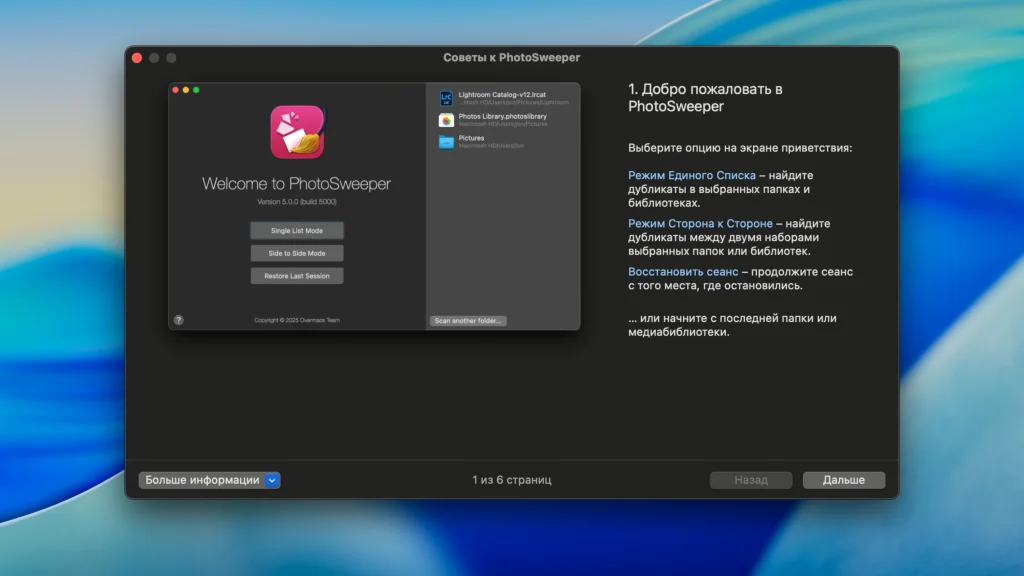
PhotoSweeper is a fast, accurate, and highly effective tool for removing similar or duplicate photos, even from large photo collections. It works with photos from Apple Photos, iPhoto, Aperture, PhaseOne Capture One, and Adobe Lightroom libraries, as well as photos from your hard drives and external storage devices.
PhotoSweeper will help you if:
- • You take a series of pictures of the same scene, trying to achieve the perfect result.
- • You edit your photos using programs like Photoshop, Pixelmator, etc. and make backups just in case.
- • You have photos scattered across external hard drives and local drives, in your Apple Photos, iPhoto, Aperture, or Lightroom libraries.
- • You have a cluttered photo collection or you just want to free up disk space by deleting unnecessary photos.
Functions:
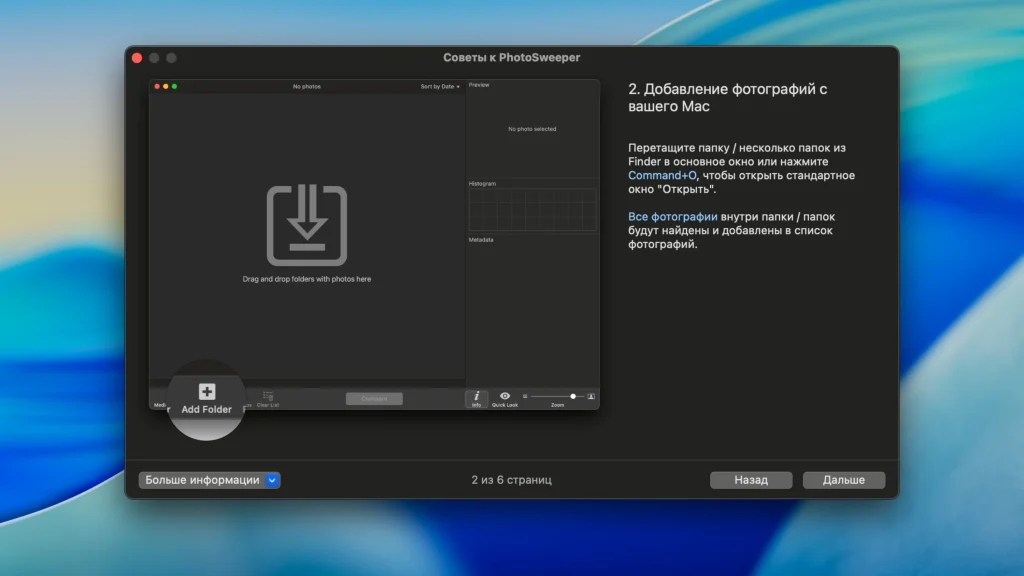
- • Easily search for photos. Simply drag and drop folders from your Mac and PhotoSweeper can find all the photos inside. Add more photos from your iPhoto, Aperture, or Lightroom library using the Media Browser window.
- • Flexible comparison settings. Powerful multi-settings make it easy to find duplicates, similar photos, and photo series. The app finds duplicate photos, even those edited in external programs like Photoshop, regardless of size or format.
- • High speed and quality – PhotoSweeper was designed to compare huge numbers of photos extremely quickly. Advanced technologies and unique algorithms make duplicate search incredibly fast and produce excellent comparison results.
- • Efficiency. You can rearrange the results without re-comparing photos by adjusting the match level using the slider. Using caches significantly speeds up the next comparison.
- • Automatically mark duplicates – Manually mark photos you want to get rid of, or use the Auto Mark feature to automatically mark duplicates based on a list of rules that you can customize to suit your needs in the settings.
- • Comfortable viewing of results – PhotoSweeper provides 3 modes of viewing results: “One by one”, “Face to face” – one or two large photos with the ability to mark a photo with one click, “All in one” – all groups of duplicates in one list.
- • Excellent photo viewing – PhotoSweeper also serves as a modern photo browser with built-in photo search by metadata, Quick Look preview, Info panel with detailed photo descriptions including histogram and image metadata (EXIF, IPTC, etc.)
Where PhotoSweeper works
Files & folders: scan local disks and removable storage; removed items go to the Trash for easy recovery.
Apple Photos: browse the library hierarchy with details; removals are handled via Photos workflows (including a dedicated album flow per vendor documentation).
Adobe Lightroom Classic: integrates with catalog workflows; removals can mark items as Rejected and route them to a dedicated collection.
Capture One: integrated browsing; files move to Trash rather than being erased immediately.
Why photographers and teams use it
- Duplicates vs similar vs bursts: switch modes to find exact duplicates, adjustable “similar” clusters, and series of shots using time-gap rules.
- Auto Mark: rule-based selection of what to keep inside each duplicate group—less clicking, fewer mistakes.
- Auto Lock: protect already-reviewed assets from accidental deletion while still using them for comparisons.
- Videos & edits: supports many video formats (including some non-native containers) and can surface edited/resized variants.
- Strong browsing tools: EXIF panel, previews, Quick Look, path bar, and flexible result layouts (“One by One”, “Face-to-Face”, “All in One”).
- Formats: RAW, HEIC, WebP, DNG, PDF reads, and broad image coverage.
Version
- Version: 5.5.3
- Developer: Overmacs Team
- Release notes: PhotoSweeper — What’s new
Compatibility: macOS 10.15 or later
Homepage https://geo.itunes.apple.com/app/id463362050
Screenshots