Lungo 2.8.1 for Mac
“Lungo“ Have you ever had your computer go to sleep unexpectedly and inconveniently? App is a simple app that prevents your Mac from going to sleep or turning off its screen when you don’t want it to. Whether it’s a presentation, a video, or a receipt you need to keep open, Lungo keeps your Mac awake until you finish your current tasks.
Features:
- Right-click the menu bar icon to quickly activate.
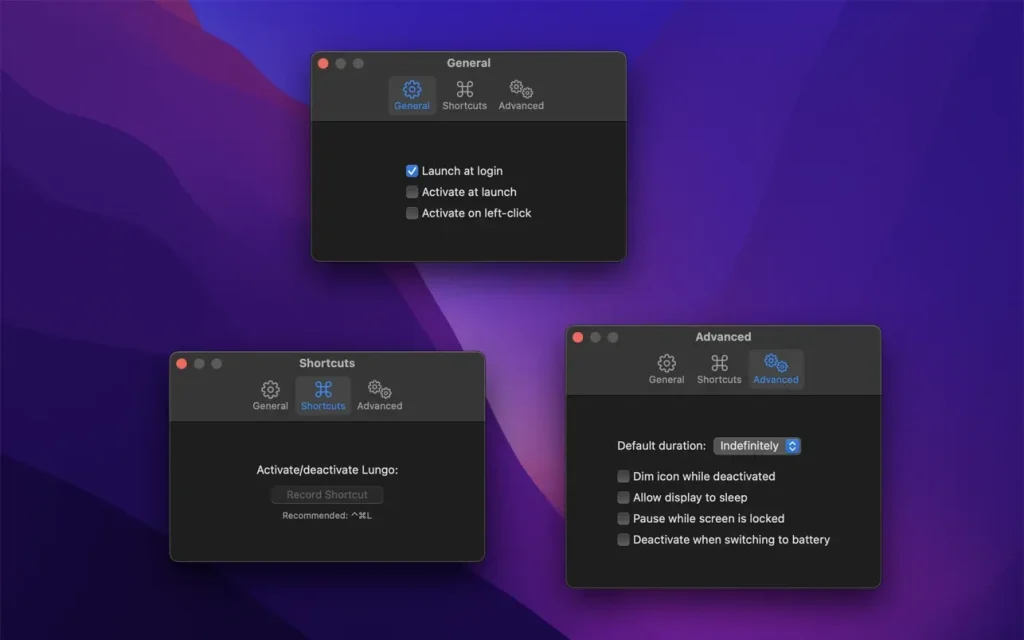
- Choose to activate with left-click instead in the Preferences.
- Choose to activate at launch in the Preferences.
- Allow the display to sleep in the Preferences.
- Set the default duration in the Preferences, which is used when App is activated by clicking the menu bar icon.
- Custom keyboard shortcut to activate/deactivate App .
- Deactivate automatically when disconnecting the power adapter (opt-in).
- Shortcuts support.
- Control App from scripts or the terminal. (See the website for more info)
Customizable deadlines
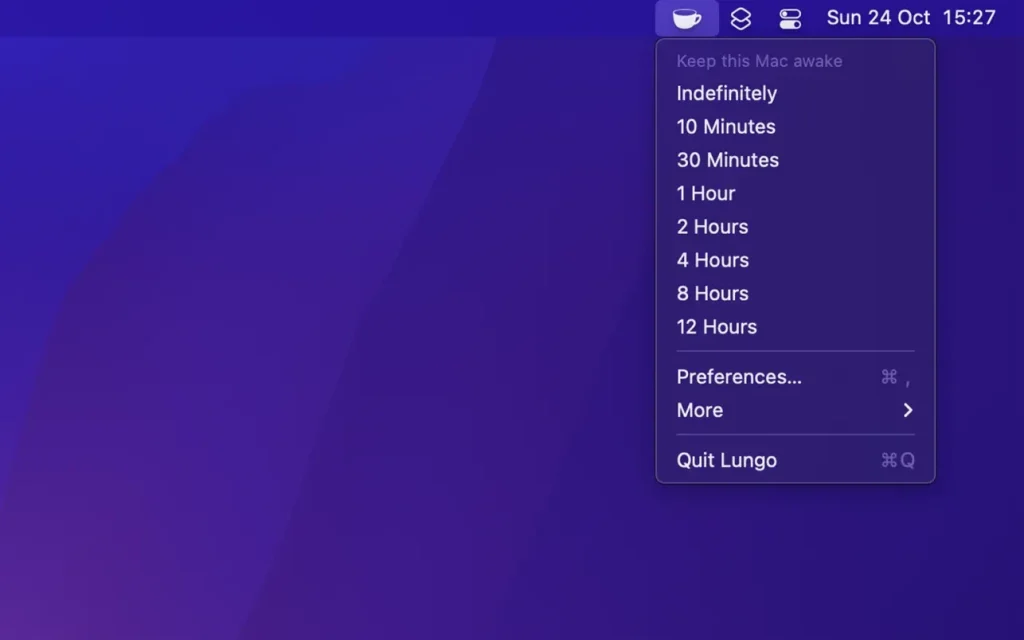
App lets you customize your computer’s sleep mode. Depending on the task, you might need a few minutes or an entire day. The drop-down menu offers options ranging from 10 minutes to “infinite.”
Easy to turn on and off
The app can be enabled with a simple click in the menu bar. If you think you’ve set the timer too long, or if you want to enable sleep for your Mac, simply click it again to disable it—no need to wait for the timer to run out.
Auto-connection
The application can be configured to launch automatically upon login. This can be a useful option for those who frequently give presentations from their computer. You don’t even have to remember to activate it.
Several use cases
Sleep mode on a Mac can be useful for saving energy, but it can also interrupt many important tasks. Whether you’re monitoring an app update, watching a video stream, or using your laptop to display a receipt, sleep mode may be unnecessary. Lungo makes these problems a thing of the past.
Stay awake when you need to
There’s nothing worse than your computer taking a thirty-minute break to install an update and reboot. Lungo will help you avoid unexpected reboots.
This can be useful when:
- Doing a presentation at work.
- Watching YouTube videos in non-fullscreen mode.
- Cooking and having the recipe open on your computer.
- Reading a long article without scrolling.
- Using the screen to view live stats.
- Monitoring progress on a long-running task.
Compatibility: macOS 15.2 or later
Homepage https://geo.itunes.apple.com/app/id1263070803
Screenshots