Name: Structured 4.4.9 [EDiSO]
Size: 75.33MB
Files: Structured 4.4.9 [EDiSO].dmg[75.33MB]
Structured 4.4.9 for MacOs
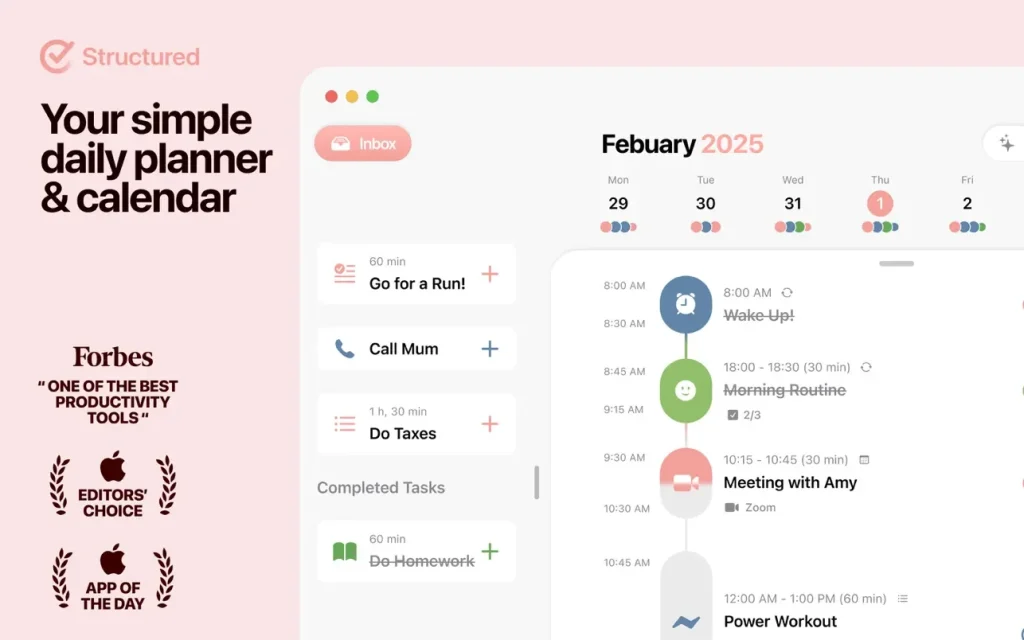
Structured is an all-in-one visual daily planner that combines tasks, a to-do list, a calendar, a focus timer, and a habit tracker into a single timeline. It helps you break down your day into tasks, visualize them, set deadlines, and reduce overwhelm.
Peculiarities:
- • Visual timeline – all tasks and meetings are displayed on one timeline, allowing you to see the full picture of your day.
- • Quick task creation – add tasks in seconds or import existing events from your calendar.
- • Different viewing modes – daily, weekly and monthly views for planning on any horizon.
- • Cross-platform – start planning on your phone, continue on your computer, and view on your smartwatch.
- • Focus & Habits – Built-in focus timer and habit tracker help you stay productive.
- • Widgets and notifications – Get reminders and keep track of tasks right from your home screen.
What Structured helps you do
- Plan by time blocks: drag tasks into the day, reorder priorities, and keep work bounded by realistic slots.
- Capture first, organize later: use the inbox when ideas arrive mid-flow, then promote them to the timeline.
- Cross-device sync: keep the same schedule on iPhone, iPad, Apple Watch, Mac, Android, or App Web via iCloud or Structured Cloud sync.
- Focus-friendly extras: built-in focus tooling such as a Pomodoro-style timer (as described in product materials) supports deep work sessions.
- Accessibility: the team highlights support for VoiceOver, Voice Control, and dyslexia-friendly typography in public marketing/help content.
Structured Pro (optional)
App can be used free long-term; App unlocks deeper integrations such as external calendar and Reminders import, recurring tasks/routines, smarter notifications, and App for drafting or rescheduling—details vary by plan and platform.
Requirements & version
- Version: 4.4.8
- Platform: macOS
- Minimum OS (official): macOS Sonoma 14 or later for the Mac app
- Download: Mac App Store — Structured
Compatibility: macOS 14.0 or later
Homepage https://apps.apple.com/us/mac/search?term=Structured%20
Screenshots