
Name: Coherence X 5.1.2 [EDiSO]
Size: 26.07MB
Files: Coherence X 5.1.2 [EDiSO].dmg[26.07MB]
Version: 5.1.2 | Release: May 2026 | OS: macOS 13.5+
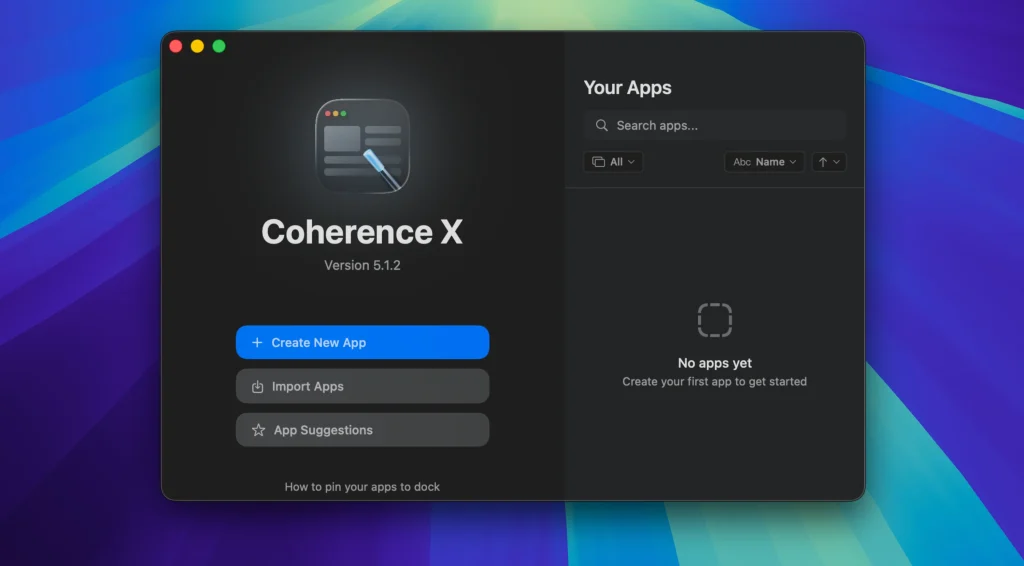
Coherence X 5.1.2 for Mac
Coherence X is a utility that turns any website into a fully-fledged, standalone app. Instead of maintaining a ton of browser tabs, you get separate, lightweight apps for Gmail, ChatGPT, Trello, YouTube, Google Docs, and any other service. These apps run on the Chrome engine but behave like regular Mac apps: they have their own Dock icons, settings, extensions, and profiles.
Features:
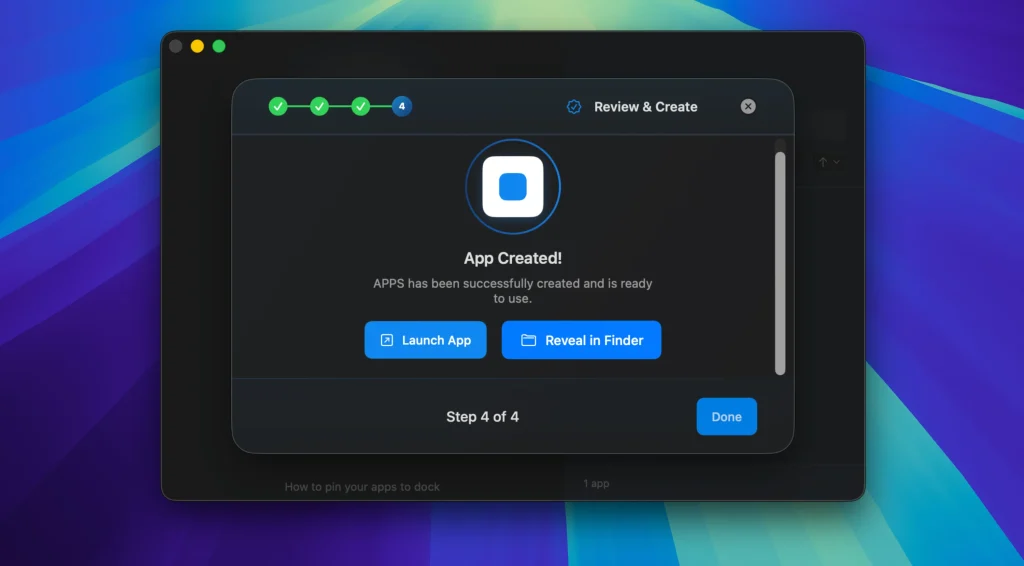
• Create an app in seconds
Simply enter the URL, choose an icon (or upload your own), and give it a name. Coherence will suggest a smart name for your app and remember your settings for quick creation of future ones.
Three application operating modes
- Standard applications: Open in a single, minimalistic window without unnecessary toolbars – ideal for focusing on one task (mail, messenger).
- Tabbed apps: Combine several related services into a single tabbed window. For example, you could create a workspace with Gmail, Google Calendar, and Google Drive.
- Incognito Mode: Apps launch automatically in Chrome’s private browsing mode. Without saving history, sessions, and cache, this is for tasks where privacy is important.
Full support for Chrome extensions and profiles.
You can install and manage any extensions from the Chrome Web Store directly within the app you’ve created. Multiple profiles (e.g., personal and work) for the same service are also supported.
Coherence X5 works not only with Chrome but also with other popular Chromium-based browsers (e.g., Edge, Brave). You can choose
the engine that best suits your workflow or privacy needs.
True macOS behavior.
This is a key difference from the simple “Create App” shortcut in Chrome. Coherence apps:
- • Restore tabs after restart.
- • React correctly to clicks in the Dock: open a minimized window or create a new one if there is no window.
- • Smart link handling: You can configure which links should open within the app (for example, to the same domain) and which should be forwarded to your main browser.
Additional tools:
- • Icon customization: Built-in tools for creating and customizing application icons.
- • Export and Sharing: Created apps can be exported and shared with others.
- • Full editing: You can change the URL, icon, mode or extensions of an already created application at any time.
What’s New:
Version 5.1.2 :
- Release notes were unavailable when this listing was updated.
Compatibility: macOS 10.15 or later
Homepage https://www.bzgwebs.com
Screenshots
Installation & Troubleshooting FAQ 7 questions
Common issues when installing macOS apps
How do I disable SIP and grant Terminal Full Disk Access?
System Integrity Protection (SIP) shields core macOS files from modification. Some patched apps and installers need SIP disabled temporarily.
Boot into Recovery Mode (hold Cmd+R), open Terminal from Utilities, run csrutil disable and restart.
macOS also blocks Terminal from protected folders until Full Disk Access is granted. Go to System Settings → Privacy & Security → Full Disk Access and toggle Terminal on.
How to disable Gatekeeper and remove quarantine?
Gatekeeper and quarantine can stop modified apps with “damaged” or “unidentified developer” warnings.
To disable Gatekeeper: sudo spctl --master-disable
To remove quarantine from a specific app: xattr -rd com.apple.quarantine /Applications/AppName.app
What to use instead of Launchpad on macOS 26?
Launchpad changed in macOS 26, so opening and organizing apps works differently.
Use Spotlight (Cmd+Space) to search and launch any app instantly. Third-party launchers like Alfred or Raycast are also excellent alternatives. You can also pin frequently used apps directly to your Dock for one-click access.
Why do I see security warnings when opening an app?
“App Not Downloaded from Mac App Store” — macOS blocks the app when security settings only allow App Store downloads. Go to Privacy & Security and permit apps from identified developers.
“Unidentified developer” — apps not registered with Apple trigger this on first launch. Use Control-click → Open to add a one-time security exception.
“Cannot verify for malicious software” — use Open Anyway in Privacy & Security to approve the app once.
What if the app is damaged or disk image is corrupted?
“App is damaged and can’t be opened” — quarantine flags or post-download changes trigger this error. Fix it with: xattr -cr /Applications/AppName.app
“Disk image corrupted” — incomplete or interrupted downloads often cause corrupted DMG errors. Use a download manager with resumable downloads to get a clean installer file.
How to fix Adobe app installation errors?
Adobe Creative Cloud local installers may fail from the GUI — right-click Install, open Contents/MacOS, and run the Unix executable manually to start the setup.
Adobe Error 1 (Rosetta required) appears on Apple Silicon when Rosetta is missing. Install it with: /usr/sbin/softwareupdate --install-rosetta --agree-to-license
CCXProcess install errors mean Creative Cloud cannot run Intel code on Apple Silicon without Rosetta — install Rosetta the same way, then retry.
Why can’t I install this app on an Intel Mac?
Some releases support only Apple Silicon (M1, M2, M3 and newer) and cannot install on Intel Macs due to architecture mismatch.
Look for universal builds or older releases matched to your processor. Tools like Adobe Activation Tool, QiuChenly, or RiD may offer Intel-compatible versions.
