
Version: 13.21.2 | Release: May 2026 | OS: macOS 14.0+
Whisper Transcription 13.21.2 for MacOs
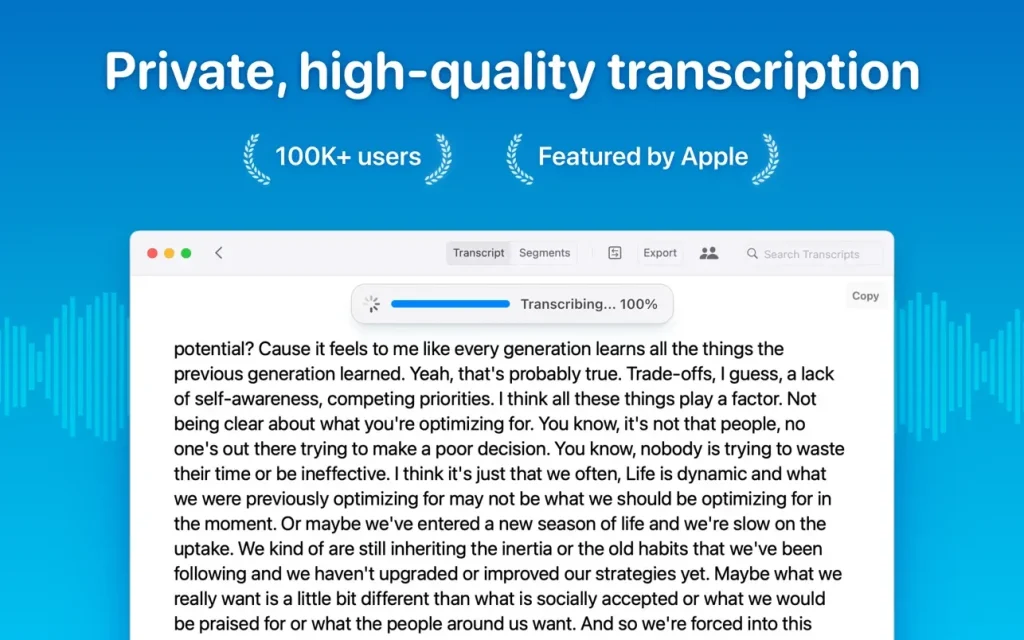
Whisper Transcription Quickly and easily convert audio files to text using Whisper’s advanced speech recognition technology. Record meetings, lectures, and other important audio, and Whisper for Mac will quickly and accurately convert it to text.
Functions:
- – Whisper Transcription Easy recording and transcription of audio files
- – Simply drag and drop the audio file for transcription
- – Whisper Transcription All transcription is done on your device, the data does not leave it
- – Export subtitles in .srt and .vtt formats
- – Accurate audio-to-text conversion in seconds (~15x real time)
- – Metal and GPU support for high performance
- -Whisper Transcription Search the entire transcript and highlight words
- – Audio playback and synchronization with the transcript
- – Multi-language support (fastest model is English only)
- – Copying the entire text or individual sections
- – Reading mode
- – Editing and deleting transcript segments
- – Select transcription language (or autodetect)
- – Whisper Transcription Supported formats: mp3, wav, m4a, mp4, mov, ogg and opus
- – Supports Tiny (English only), Small, Base, Medium, Large-V2, Large-V3 models
- – Batch transcription and export to multiple formats simultaneously (srt, vtt, etc.)
- – Whisper Transcription Export to Word, PDF or HTML
- – Transcription of system audio (e.g., Zoom meetings and other audio)
- – Podcast transcription with division by speaker
Supported languages:
Whisper Transcription for Mac can transcribe audio in 100 different languages:
English, Chinese, German, Spanish, Russian, Korean, French, Japanese, Portuguese, Turkish, Polish, Catalan, Dutch, Arabic, Swedish, Italian, Indonesian, Hindi, Finnish, Vietnamese, Hebrew, Ukrainian, Greek, Malay, Czech, Romanian, Danish, Hungarian, Tamil, Norwegian, Thai, Urdu, Croatian, Bulgarian, Lithuanian, Latin, Maori, Malayalam, Welsh, Slovak, Telugu, Persian, Latvian, Bengali, Serbian, Azerbaijani, Slovenian, Kannada, Estonian, Macedonian, Breton, Basque, Icelandic, Armenian, Nepali, Mongolian, Bosnian, Kazakh, Albanian, Swahili, Galician, Marathi, Punjabi, Sinhala, Khmer, Shona, Yoruba, Somali, Afrikaans, Occitan, Georgian, Belarusian, Tajik, Sindhi, Gujarati, Amharic, Yiddish, Lao, Uzbek, Faroese, Haitian Creole, Pashtun, Turkmen, Nynorsk, Maltese, Sanskrit, Luxembourgish, Myanmar, Tibetan, Tagalog, Malagasy, Assamese, Tatar, Hawaiian, Lingala, Hausa, Bashkir, Javanese, Sundanese.
Homepage https://apps.apple.com/us/app/whisper-transcription
Video Preview & Screenshots
Installation & Troubleshooting FAQ 7 questions
Common issues when installing macOS apps
How do I disable SIP and grant Terminal Full Disk Access?
System Integrity Protection (SIP) shields core macOS files from modification. Some patched apps and installers need SIP disabled temporarily.
Boot into Recovery Mode (hold Cmd+R), open Terminal from Utilities, run csrutil disable and restart.
macOS also blocks Terminal from protected folders until Full Disk Access is granted. Go to System Settings → Privacy & Security → Full Disk Access and toggle Terminal on.
How to disable Gatekeeper and remove quarantine?
Gatekeeper and quarantine can stop modified apps with “damaged” or “unidentified developer” warnings.
To disable Gatekeeper: sudo spctl --master-disable
To remove quarantine from a specific app: xattr -rd com.apple.quarantine /Applications/AppName.app
What to use instead of Launchpad on macOS 26?
Launchpad changed in macOS 26, so opening and organizing apps works differently.
Use Spotlight (Cmd+Space) to search and launch any app instantly. Third-party launchers like Alfred or Raycast are also excellent alternatives. You can also pin frequently used apps directly to your Dock for one-click access.
Why do I see security warnings when opening an app?
“App Not Downloaded from Mac App Store” — macOS blocks the app when security settings only allow App Store downloads. Go to Privacy & Security and permit apps from identified developers.
“Unidentified developer” — apps not registered with Apple trigger this on first launch. Use Control-click → Open to add a one-time security exception.
“Cannot verify for malicious software” — use Open Anyway in Privacy & Security to approve the app once.
What if the app is damaged or disk image is corrupted?
“App is damaged and can’t be opened” — quarantine flags or post-download changes trigger this error. Fix it with: xattr -cr /Applications/AppName.app
“Disk image corrupted” — incomplete or interrupted downloads often cause corrupted DMG errors. Use a download manager with resumable downloads to get a clean installer file.
How to fix Adobe app installation errors?
Adobe Creative Cloud local installers may fail from the GUI — right-click Install, open Contents/MacOS, and run the Unix executable manually to start the setup.
Adobe Error 1 (Rosetta required) appears on Apple Silicon when Rosetta is missing. Install it with: /usr/sbin/softwareupdate --install-rosetta --agree-to-license
CCXProcess install errors mean Creative Cloud cannot run Intel code on Apple Silicon without Rosetta — install Rosetta the same way, then retry.
Why can’t I install this app on an Intel Mac?
Some releases support only Apple Silicon (M1, M2, M3 and newer) and cannot install on Intel Macs due to architecture mismatch.
Look for universal builds or older releases matched to your processor. Tools like Adobe Activation Tool, QiuChenly, or RiD may offer Intel-compatible versions.
