Name: Live Home 3D Pro 4.12 [TNT]
Size: 614.61MB
Files: Live Home 3D Pro 4.12 [TNT].dmg[614.61MB]
Live Home 3D Pro 4.12 for Mac
Live Home 3D Pro is an intuitive app for interior design of apartments and houses, as well as landscapes of virtually any complexity. The Pro version offers an expanded set of tools and exceptional export quality.
General
- • Detailed drawings of premises.
- • Real-time 3D rendering.
- • Unlimited number of floors.
- • Collection of built-in video tutorials.
- • Fast technical support service built into the Assistant program.
- • Gallery of house and room projects.
Drawing instruments
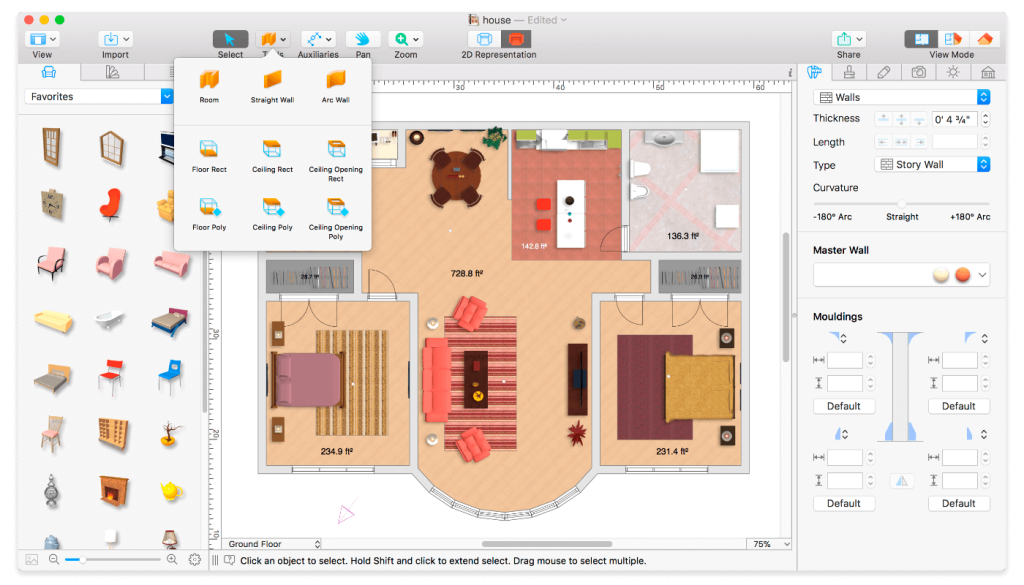
- • Add a room in one move using the Room tool.
- • Tools for creating straight and curved walls.
- • Ground Surface, Height Contour, Height Isospline, Pit and Path tools to reproduce an identical copy of the landscape around your home.
- • Vertical view mode.
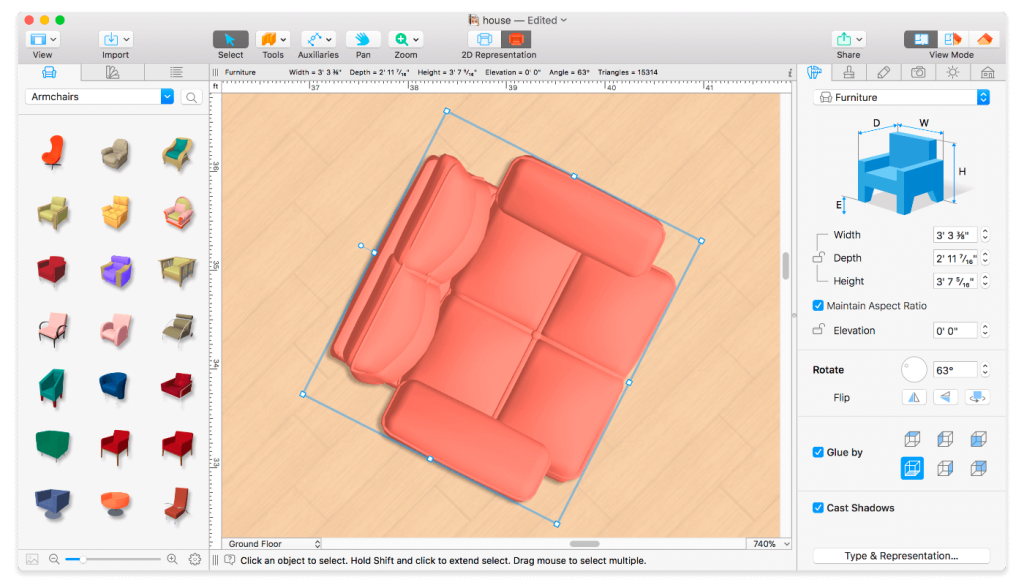
- • Automatic contour display for furniture and fittings in the drawing.
- • Automatic dimension lines for walls, floors and ceilings during drawing.
- • Support for various units of measurement (inches, feet, meters, etc.).
- • Smart dimension lines for setting distances between objects and walls.
- • Precise positioning thanks to guides and adhesion mechanism.
Real-time 3D environment
- • Live Home 3D Pro Control lighting, add and move objects, assign materials – all this directly in 3D.
- • All changes in 2D and 3D are rendered in real time.
- • Virtual walks in 3D interiors.
- • Setting the FOV (field of view) and projection type of the camera.
- • Possibility of installing multiple cameras to display the interior from different points of view.
- • Natural lighting thanks to adjustments to geo-positioning, time of day and cloud cover.
- • Customizable light sources to create a realistic lighting scene.
- • Light source editor for adding lamps to imported objects.
- • Corner windows and complex openings.
- • Adjust level of detail on the fly to simplify 3D models and speed up rendering.
- • Professional Shadow Map technique for creating soft and natural shadows.
3D models and materials
- • 2000+ furniture and other models.
- • Import models directly from Trimble 3D Warehouse™ (formerly Google 3D Warehouse™).
- • 2100+ surface materials.
- • Transfer an image from Finder and apply it as a surface material.
- • Advanced Material Editor (helps you create more complex materials with reflective, glossy and rough surfaces).
- • The ability to set the exact tile size in the material settings allows you to calculate how much material will be needed to renovate your home.
- • Import objects in the following formats: SketchUp, COLLADA, KMZ, FBX, OBJ and 3DS.
- • Polygonal “building block” tool for creating balconies, terraces, etc.
Roofs and attics
- • Roof creation assistant with 12 customizable templates.
- • Additional control of roof shape.
- • Add segments to fully customize your roof.
- • 16 customizable loft types.
Export and publish results
- • Export 3D images to JPEG, TIFF, PNG, and BMP (up to 16000 x 16000).
- • Rendering of realistic video of a virtual walk (in Ultra HD resolution).
- • Instantly send a copy of the project via Mail, Messages or AirDrop.
- • Export to 3D formats: COLLADA, Trimble SketchUp™, VRML V2.0, X3D, FBX and OBJ.
- • iCloud support.
Compatibility: macOS 10.14 or later
Homepage https://www.livehome3d.com/
Screenshots