ForkLift 4.6.2 for Mac
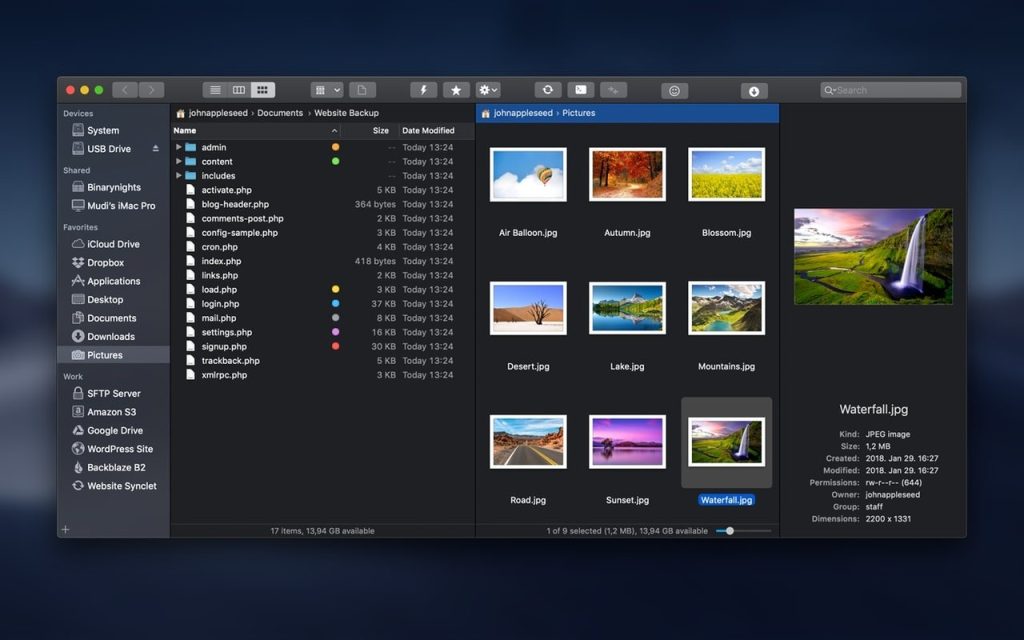
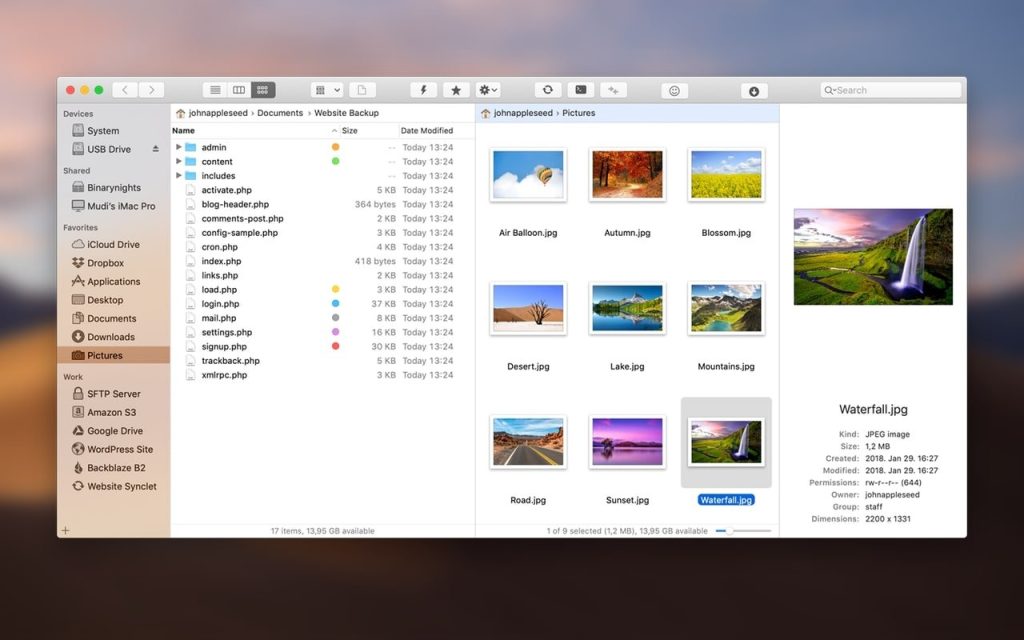
ForkLift Looking for a reliable FTP client for Mac with a wide range of useful features? This file manager is just what you need. It’s fast and reliable, yet incredibly easy to use. What’s more, it’s a great Finder replacement with much more functionality. Connect to multiple servers simultaneously, easily switch between applications and servers, and compare two text or media files in an instant. And all from the convenient split-screen view of this reliable file manager.
Key Features of ForkLift
Connect to multiple servers
Access FTP, SFTP, Amazon S3, AFP, as well as WebDAV, SMB, and NFS remote volumes. Organize files over the network, connect to multiple servers simultaneously, and drag and drop files to organize them. Mark a saved remote connection as a drive, and launch a saved Synclet even if ForkLift isn’t running.
Quick search, selection and management of archives
Find and select the necessary items even on remote servers by entering file names, extensions, text, or tags. Browse archives as simple folders. Speaking of archive management, the utility supports Quick Look, search, and filters.
Instant viewing capability
Find all the details about a selected file in the preview pane. Inspect photos, PDFs, and other file types. Edit file text on local and remote servers. Set your Mac SFTP client to view files by default, and you’ll see files accessed through it instead of Finder.
One-way or two-way synchronization
Compare local and remote sources with a snap of your fingers using this FTP app for Mac. Find matches, modified, new, and deleted items in archived folders. Instantly sync them one- or two-way, or add them to Favorites.
File Comparison + Single/Double Panel
Easily return the interface to its standard single-pane layout or choose two panels horizontally or vertically. Take advantage of seamless integration with popular file comparison tools to compare similar text or media files.
Quick access to files
Access your devices, menu commands, or favorite files in a flash. Set a keyboard shortcut or assign a toolbar button to quickly access hidden files. Open Terminal, iTerm, or Hyper windows and enjoy everything you need at your fingertips.
Tab powered powerful and streamlined file managing application
- As an added bonus, Forklift enables you to manage your files using multiple tabs at a time, this allowing you to keep your workspace nice and clean while still being able to handle numerous file storage locations and folder structure simultaneously.
- Furthermore, you can employ Forklift for effortlessly and swiftly synchronizing your folders between two local or remote target folders, thus eliminating the need of an extra application dedicated to keeping your files and documents in sync.
- What’s more, Forklift also features a built-in application deleter designed to help you keep your hard drive clean of left over files after uninstalling applications, a remote editing feature that will automatically upload any changes you’ve made locally to the remote server where the edited file is stored.
User-oriented and full featured file manager and remote server client
- Forklift has you covered ever if you are an macOS power user with its Terminal integration that makes it simple to open a new command line interface within any folder and the extensive keyboard shortcuts which make it a cinch to control it without using a mouse.
- To sum it all up, if Apple’s Finder just doesn’t cut it for you because of its limited set of features, you might want to give Forklift a quick spin.
- Forklift is the right choice if you need a dual pane file manager on steroids, capable of helping you manage local and remote files and folders via a user-friendly and efficient user interface.
*** You need to disable the System Integrity Protection (SIP) to perform the selected Application.
Language: Multilangual
Compatibility: macOS 14.6 or later
Homepage https://binarynights.com/
Screenshots