Lingon 10.2.2 for Mac
Lingon X is a utility for complete control over startup programs on your system. All programs/daemons/agents that you can’t control with standard system tools will be controlled by this application.
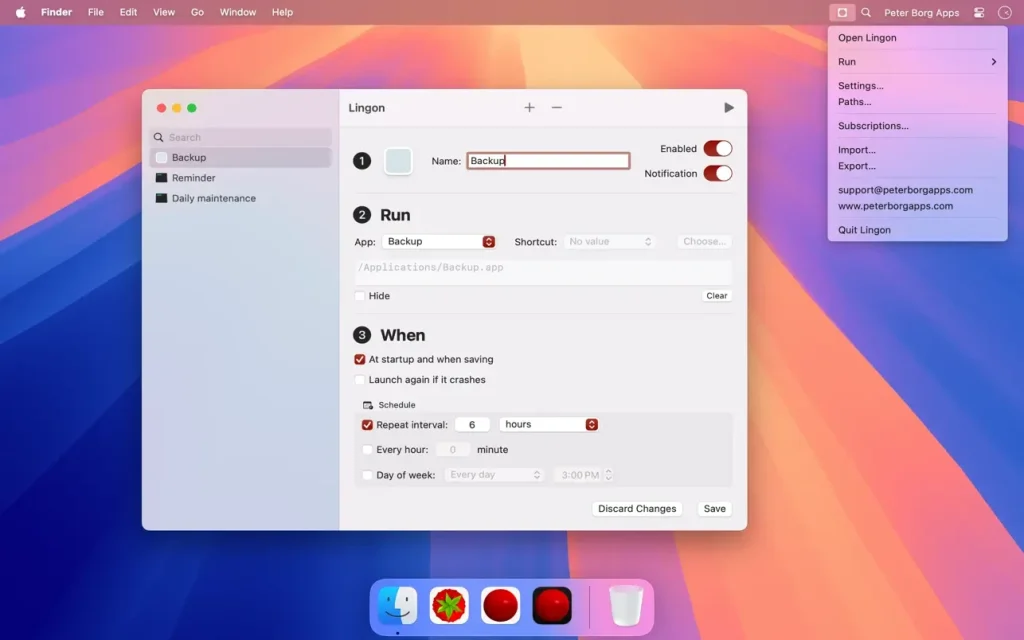
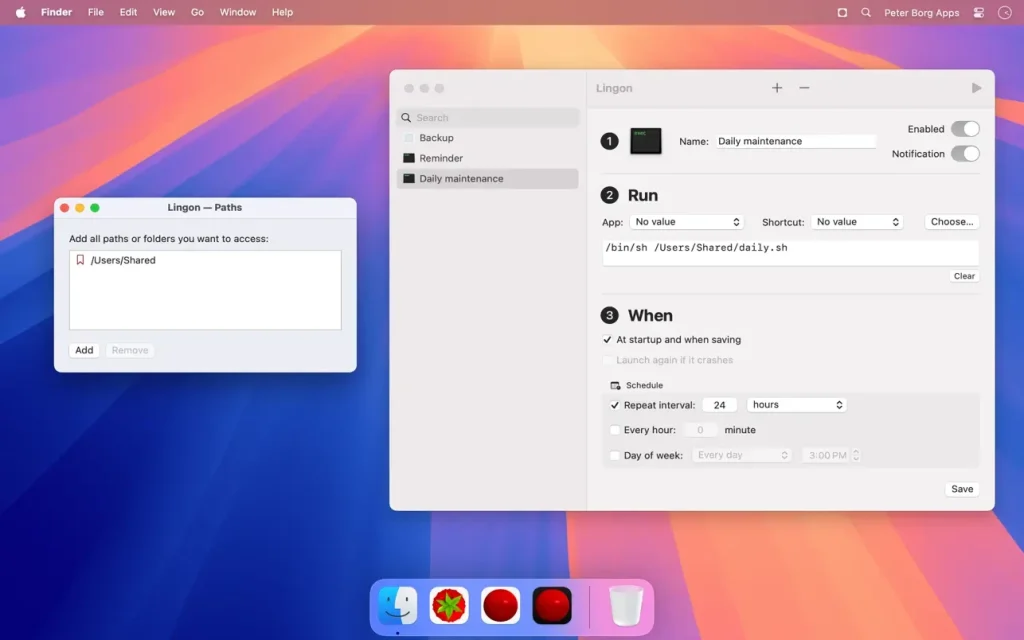
Run what you want, whenever you want. App can launch an application, script, or command automatically whenever you want. You can schedule it to run at a specific time, regularly, or when something special happens. App can also automatically restart an application or script. App X 7 builds on the excellent App 3 and expands on it with new features, such as running tasks as root and on multiple dates. It’s now even easier to use, yet much more powerful.
Functions
- – Run an app, script, or command automatically whenever you want. You can schedule it to run at a specific time, regularly, or when something special happens.
- – It can also ensure that an application or script automatically restarts if it crashes. Lingon X can do all this and more for you.
- – Allows you to run things automatically by modifying configuration files for a built-in system function called launchd so that the system handles running jobs so you don’t have to open Lingon after saving a job.
- – Released outside of the Mac App Store to be able to include requested features.
- – Still available on the Mac App Store for those still using OS X 10.7 Lion or who prefer the comfort and convenience of the Mac App Store.
- – Earlier versions of Lingon X are still available for use with macOS 10.8 and later. A license purchased today can be used with both Lingon X 5 and Lingon X 4.
What’s new in v10.2.2
Build 10.2.2 is a maintenance release in the 10.2 line. The developer does not publish per-patch release notes; for 10.2 the documented changes are:
- Small bug fixes and stability improvements
- Fix for a possible crash
- Restart a task from the contextual menu (Control-click)
Key features (Lingon Pro 10)
- Full launchd editor with access to all plist keys
- Run tasks as root or for multiple users
- Background monitoring of tasks with notifications on changes
- Tabs and multiple windows; Undo while editing; drag-and-drop onto the app icon to create tasks
- Apple Intelligence to create or edit scripts (where available)
- Improved log, login items, list mode, and smart folders
- Revert to earlier task revisions; save without reloading (hold Option when saving)
Requirements & licensing
- Version: 10.2.2
- macOS: 14 Sonoma or later
- Architecture: Apple Silicon and Intel
- License: one-time purchase; free download to try; 14-day refund (per vendor policy)
Compatibility: macOS 14.0 or later
Homepage https://www.peterborgapps.com/lingon/
Screenshots