PullTube 1.8.6.28 Multilingual macOS
Download online videos or audios hosted on YouTube or Vimeo, including entire playlists, while maintaining the original format or extracting only the audio.
Sharing videos through online hosting services like YouTube or Vimeo is a common practice, but streaming content may not work properly if you have a slow internet connection.
PullTube lets you download videos from both YouTube and Vimeo. The app can work with playlists, allows you to choose the quality of the downloaded output, and can even extract just the audio. Video Downloader, which imports links using drag-and-drop, can detect playlists. PullTube streamlines the workflow for quickly downloading videos from YouTube or Vimeo, provides control over output quality, and allows you to extract audio to MP3 or M4A files.
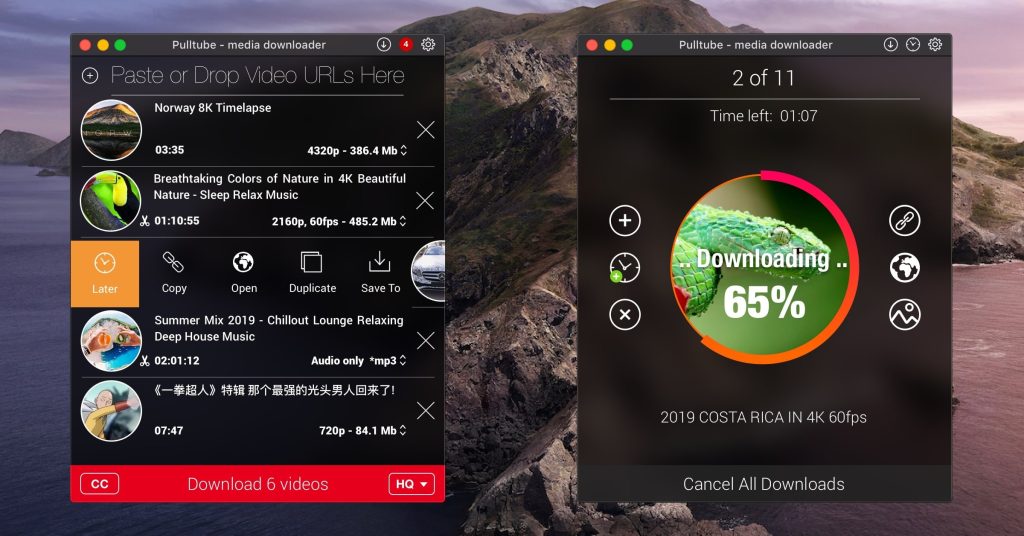
The PullTube user interface features a small window where you can quickly paste a video URL. If PullTube detects that the video is part of a playlist, it will offer to download the entire collection: it will sequentially retrieve data for each entry and process the download.
PullTube will immediately begin fetching video data, allowing you to see the video title, duration, and a thumbnail. When setting up the download, you can choose the output quality (highest, 4K, HD, or standard with various resolutions) or choose to export only the audio as an M4A or MP3 file.
Using the PullTube settings panel, you can change the default download location and default MP3 bitrate (320kbps, 256kbps, 128kbps, 64kbps). You can also add quality information with the video file name and choose to exit the app when all downloads are complete.
What’s New:
Version 1.8.6.25
Release notes were unavailable when this listing was updated.
Compatibility: macOS 10.12
Language: Multilingual
Homepage https://mymixapps.com/pulltube