Name: Myary 2.7.0 [TNT].dmg.AppmacOs
Size: 7.7 MB
Files: Myary 2.7.0 [TNT].dmg.AppmacOs[7.7 MB]
Myary 2.7.0 for Mac
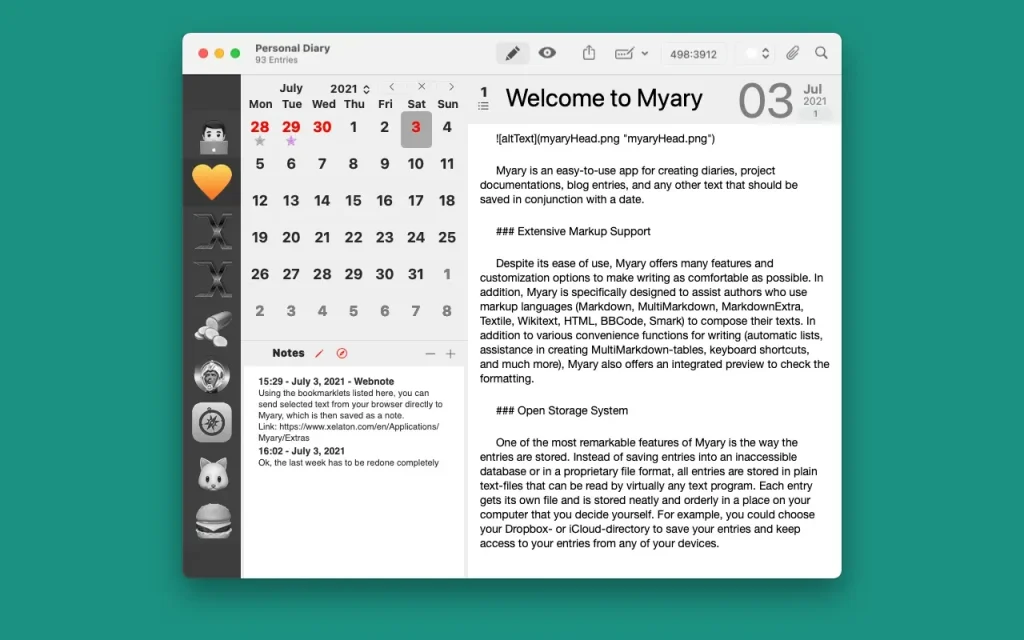
Myary is an easy-to-use app for creating diaries, project documents, blog posts, and any other text that needs to be stored in context with the date.
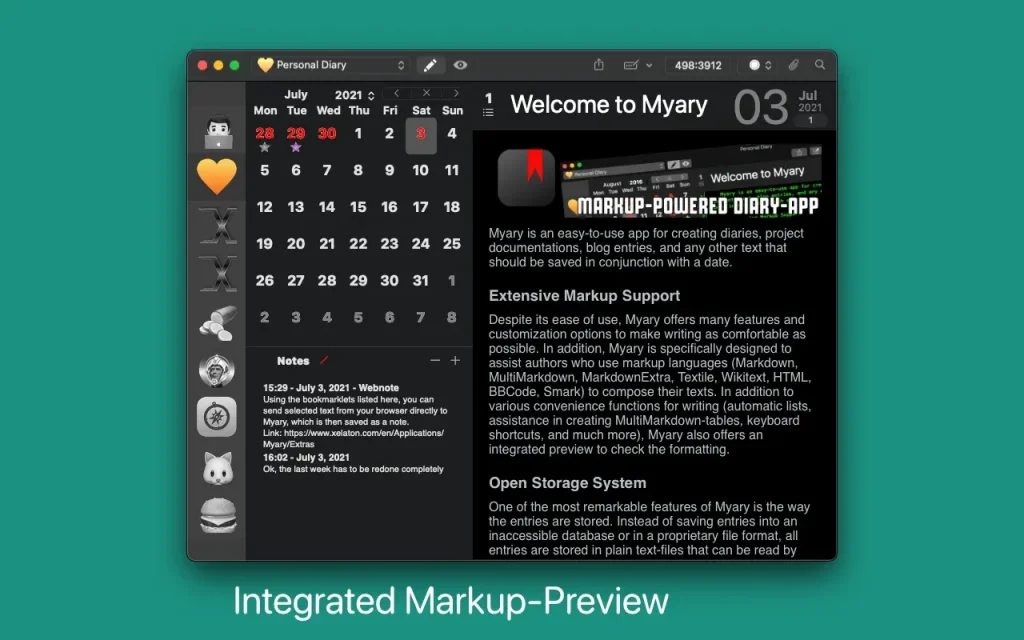
Despite its ease of use, Myary offers numerous features and customization options to make writing as enjoyable as possible. Furthermore, Myary is specifically designed to support authors who use markup languages (Markdown, MultiMarkdown, MarkdownExtra, Textile, Wikitext, HTML, BBCode, Smark) to write their texts. In addition to various convenient writing features (automatic lists, MultiMarkdown table creation assistance, keyboard shortcuts, and much more), Myary also offers a built-in preview for checking formatting.
Incidentally, Myary’s unique feature is the way it stores entries. Instead of storing text in a hard-to-access database or in a proprietary file format, all entries are stored in plain text files that can be read by virtually any text application. Each entry receives its own file and is neatly and organized in the location of your choice on your computer. This means you can also store your diary, for example, in a Dropbox or iCloud directory and access your entries from any of your devices.
Peculiarities:
- – you can add any number of files as attachments to each entry
- – extensive export manager (export to the following formats is possible: TXT, RTF, RTFD, DOC, ODT, HTML, PDF, epub-eBook, Textbundle, Textpack).
- – Tab actions: define keywords to insert arbitrary text fragments using the Tab key.
- – edit entries in external text applications or send them to other applications
- – A convenient, distraction-free mode hides everything so you can fully concentrate on your text
- – Automatic saving of notes: if you pause while typing, Myary will automatically save the text you have written
- – save texts as Textbundle: instead of saving texts in regular text files, it is possible to save texts as Textbundle (information about Textbundle on the website www.textbundle.org)
- – In addition to the notes themselves, you can also write or collect short notes that can be used to prepare reminders, ideas, etc.
- – Extensive text editor settings: in addition to the font, size, and color, you can also customize the background color, line spacing, indentation for new paragraphs, and much more to suit your personal needs.
- – Colored labels: You can assign a color label to each entry, which will appear as a small star on the calendar sheet. This is based on the standard file system color labels, so these color labels are also visible in the Finder, for example.
- – Integrated Search: If you want to find a specific post or are looking for posts containing a specific term, the built-in search feature will help you quickly by listing all posts in chronological order with the search term.
- – Myary supports macOS Dark Mode and also offers a dark mode for earlier versions of macOS, which can be activated at any time via the menu bar.
Of course, Myary also offers the well-known features of full-screen mode, send menu, text find/replace, spell check and text replacement.
Why Myary stands out
- Rich markup support: Markdown, MultiMarkdown, Markdown Extra, Textile, Wikitext, HTML, BBCode, and Smark are supported, plus a built-in preview for formatting checks.
- Writing comfort: Automatic lists, MultiMarkdown table assistance, keyboard shortcuts, distraction-free mode, auto-save, spell check, and find/replace help you stay in flow.
- Open storage system: Every dated entry is stored as a readable file, so your notes remain accessible in other editors and future-proof over time.
- Powerful organization: Integrated search, calendar-based navigation, color labels compatible with Finder, and support for quick notes and ideas.
- Attachments and interoperability: Add files to entries, edit in external text apps, and send content to other apps when needed.
- Broad export options: Export to TXT, RTF, RTFD, DOC, ODT, HTML, PDF, EPUB, Textbundle, and Textpack.
Version details
- Version: 2.7.0
- Developer: Xelaton Software
- Interface languages: English, German, French
- Compatibility: macOS 10.13 or later
- Architecture: Apple silicon (ARM) and Intel (x86-64)
Compatibility: macOS 10.13 or later
Homepage https://www.xelaton.com
Screenshots