Name: OmniPlayerStore 2.1.21 MAS [TNT]
Size: 80.84MB
Files: OmniPlayerStore 2.1.21 MAS [TNT].dmg[80.84MB]
OmniPlayer: MKV Video Player 2.1.21 for Mac
OmniPlayer for Mac is a comprehensive media player for virtually any video and audio format on macOS. It offers powerful features with a modern, clean design. You can use it to play various HD videos (4K/1080P/720P) and lossless audio with hardware decoding. OmniPlayer’s rich features allow you to easily manage and customize playback, playlists, video images, audio tracks, subtitles, screenshots, and more.
Supported formats
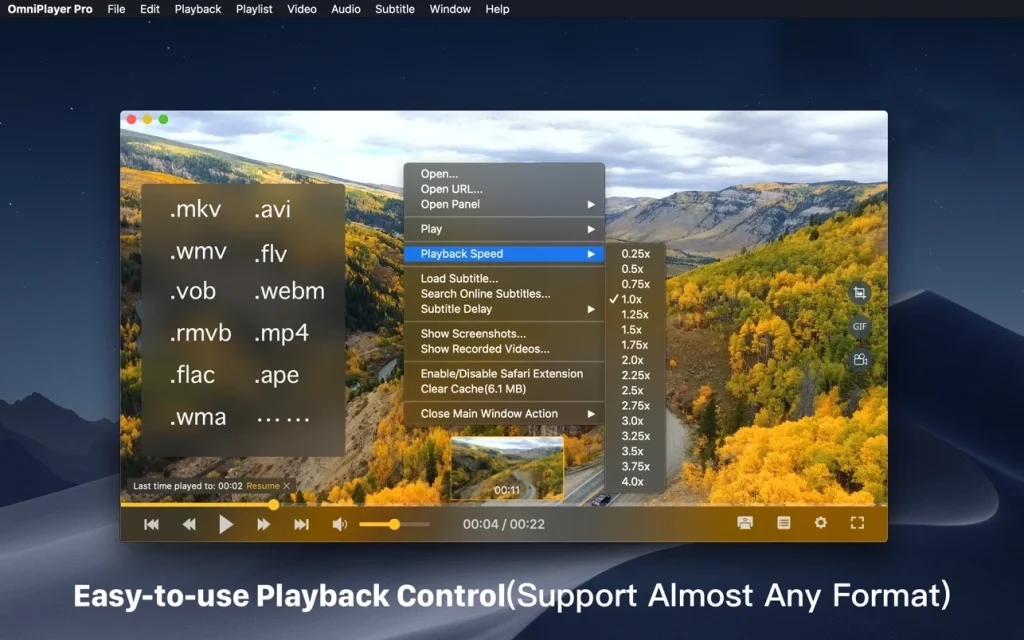
video: mkv, rmvb, rm, avi, mov, wmv, flv, f4v, f4p, f4a, f4b, swf, mpg, mpeg, mpeg1, mpeg2, m1v, m2v, mpv, mp4, mpeg4, m4v, 3gp, 3gpp, 3g2, 3gp2, m2p, ps, ts, m2ts, mts, mt2s, ogm, ogv, divx, dv, asf, wtv, webm, m3u, m3u8, etc.
Audio: flac, ape, m2a, mp1, mp2, mpa, mp3, mpg3, m4a, m4b, wma, wav, wv, xm, aiff, aif, ac3, a52, aac, opus, ogg, oga, mid, midi, mka, etc.
Subtitles: ass, ssa, srt, idx&sub
Functions:
- Supports multiple media types
- Playback of virtually any video and audio format from a local or remote server (SAMBA/FTP protocol).
- – Supports online video and audio with HTTP/HTTPS protocols.
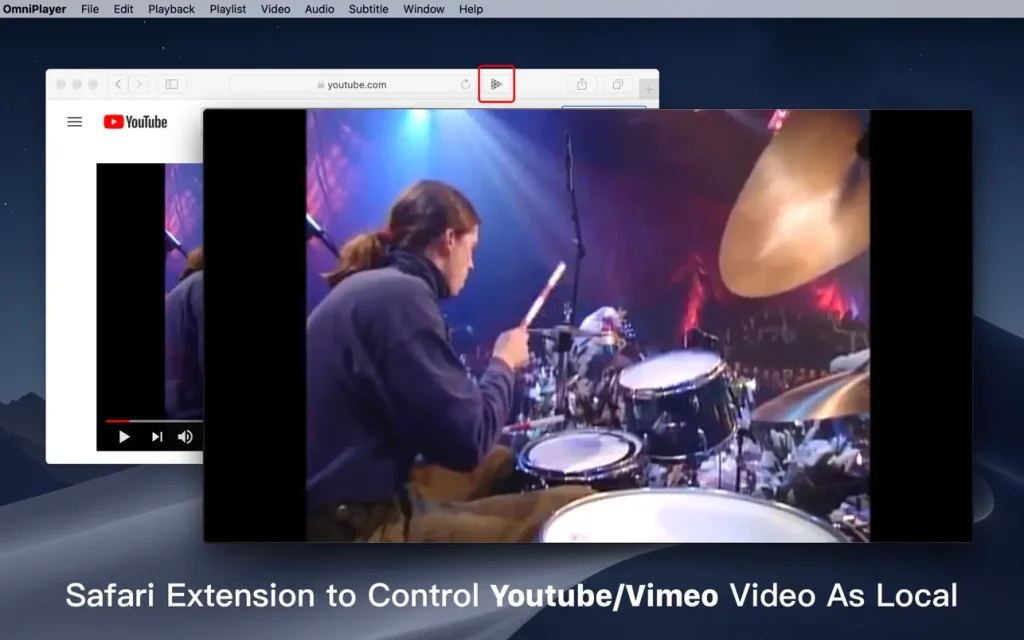
- – Play Youtube and Vimeo videos using the web page URL directly without online ads.
Control
Playlists – Automatically write media files to playlists and automatically clear everything when you exit the player.
- – Play, search, delete, change repeat mode of media items in the playlist.
Playback controls
- – pause, resume, fast forward, rewind and go to the specified execution time.
- – Record the last playback time when auto stop.
- – Show preview images in the progress bar when playing local video.
- – Automatically hide controls to display clear video without any occlusion.
- – Adjust playback speed from 0.25x to 4x.
Setting up
Video images – quickly adjust the window size and aspect ratio of the video image.
- – Adjust the rotation of the video image in all directions.
- – Adjust the video image equalizer, including brightness, contrast and saturation.
Control
sound – change the audio delay time to synchronize audio and video.
- – Choose different audio tracks in your video.
- – Select a sound mode, such as Stereo, Dolby Surround, Headphone, etc.
- — Adjust the sound equalizer or select preset equalizer settings such as Classic, Rock, Pop, etc.
Subtitle management
Download various local subtitle formats in real time.
- – Search and download subtitles online using video title or hash.
- – Support for most languages. Change subtitle color and size in real time.
- – Change the subtitle encoding in different languages to fix subtitle display issues.
Screenshot
- – take a screenshot in different formats.
- – Create GIF images from pre-1960s eras. Export thumbnails with one click.
Wireless display
- – DLNA protocol, Chromecast protocol, Roku channel
Top In-App Purchases: Full (PRO) Version – included
Compatibility: macOS 11.0 or later
Mac App Store https://geo.itunes.apple.com/app/id1470926410
Screenshots