Name: WiFi_Explorer_Pro_3_3.9.5.dmg
Size: 16 MB
Files: WiFi_Explorer_Pro_3_3.9.5.dmg [16 MB]
WiFi Explorer Pro 3.9.5 macOS
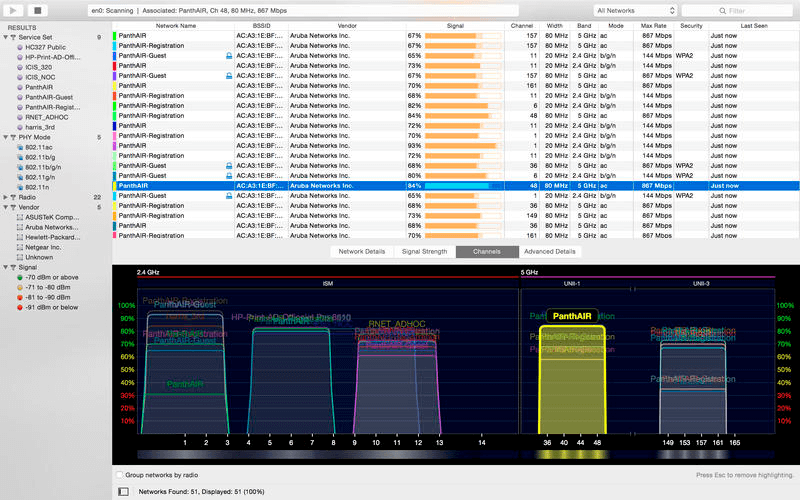
WiFi Explorer Pro is the perfect way to stay informed about your network and how to fix it if necessary. The app provides a wide range of comprehensive information about all nearby networks, including their range, signal quality, security status, and more. One of the main advantages of a network analyzer is that you can diagnose your connections at work or at home without any professional skills. There’s also a detailed guide that helps anyone with basic computer knowledge understand and fix common network issues. For example, WiFi Explorer shows which networks may be conflicting with each other due to overlapping channels.
WiFi scanner
WiFi Explorer Pro analyzes your network environment and displays it in a convenient, customizable interface. The scanner is a collection of powerful WiFi tools that detect even remote or weak networks and allow you to fix poorly functioning ones.
Visual graphs
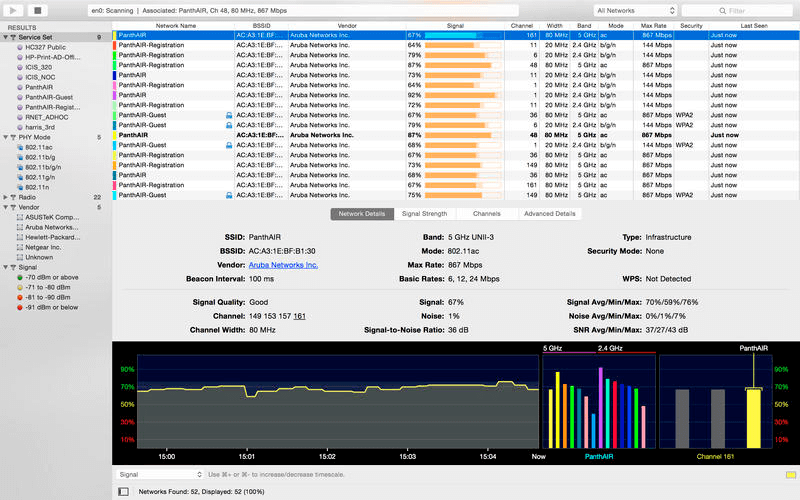
WiFi Explorer Pro”s Each network, along with its details, is presented as a visual graph. This allows for quick access to the situation without studying the numbers. You can simply glance at the color of the lines to understand which networks are performing better and have a stronger signal.
Diagnostics
WiFi Explorer Pro features a suite of diagnostic tools. It allows you to troubleshoot network issues without professional help. You don’t need to be a system administrator to figure out what’s wrong and how to fix it—just open the app.
Multiple band support
WiFi Explorer Pro is compatible with networks operating in the 2.4 GHz or 5 GHz frequency ranges. This means that no matter your device type or network band, the WiFi monitor in the app will support it. It also supports channels in the 20, 40, 80, and 160 MHz ranges.
Customizable view
WiFi Explorer Pro Easily choose what you want to see when you open Explorer. For example, you can choose the colors of specific networks, so you can easily track the ones you need and ignore the unimportant ones. Columns can also be customized and sorted to suit your needs.
Signal-to-noise ratio
Signal quality in the app is determined based on a specific criterion: signal-to-noise ratio. This is because signal strength can be insufficient for a wireless analyzer to draw conclusions. Therefore, signal-to-noise ratio is also considered in the evaluation.
What’s New:
Version 3.9.5:
- Release notes were unavailable when this listing was updated.
Compatibility: maxOS 13.5 or later
Homepage: https://www.intuitibits.com
Screenshots