WhyFi 1.3.4 macOS ARM
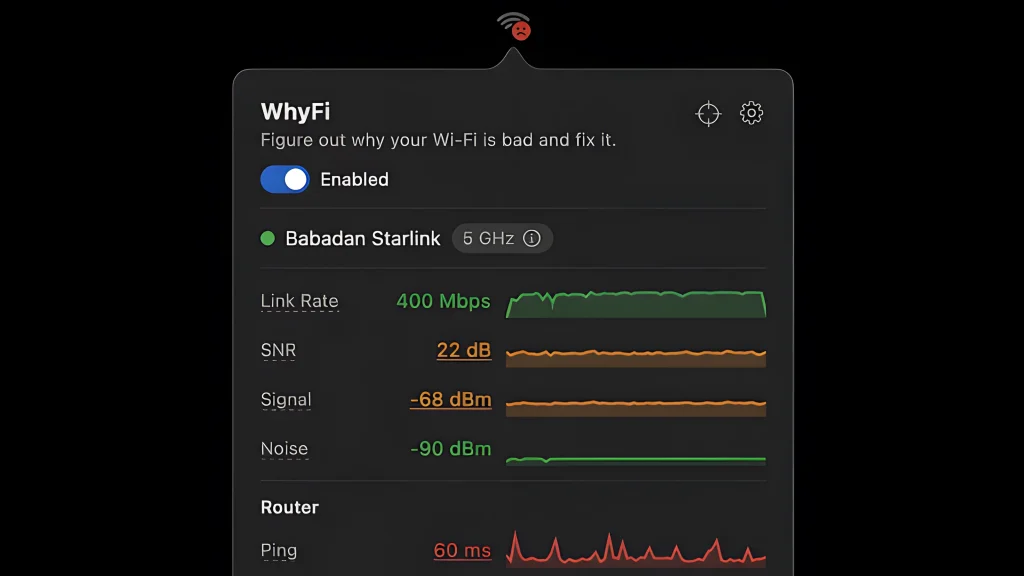
WhyFi is a handy app in the form of a menu bar icon that quickly shows you why your Wi-Fi is slow or unstable and tells you how to fix it. WhyFi lives in your macOS menu bar and keeps an eye on your Wi-Fi. It measures signal, router latency, internet quality, and DNS. Find out what’s actually wrong when things are slow and learn how to fix it.
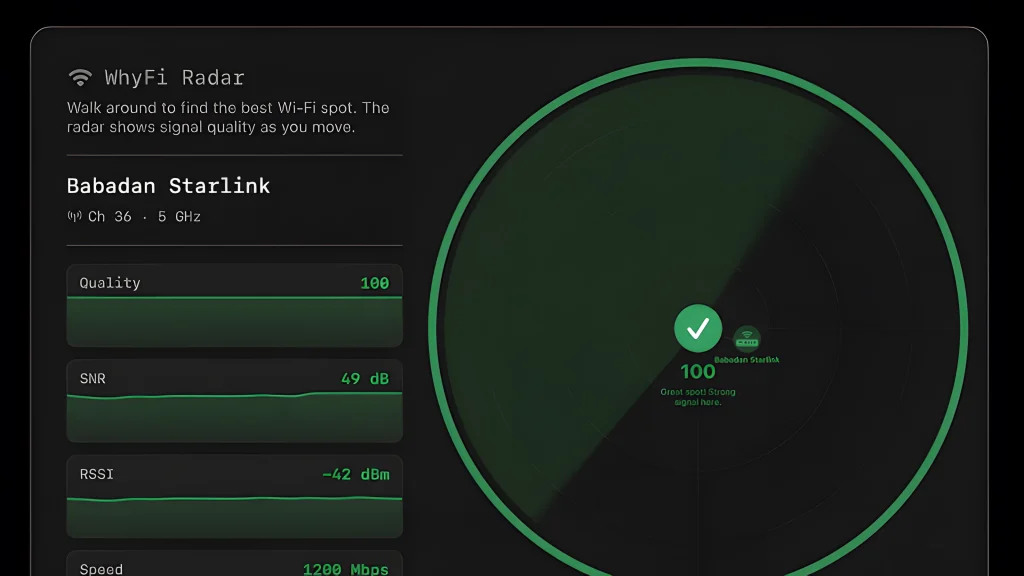
WhyFi Radar finds you the best spot
A real-time signal monitor that updates 4 times per second. Walk around with your laptop and it tells you where the signal is strongest. Shows a 0–100 score and yells “keep going” or “go back” at you so you don’t have to guess.
Also shows nearby networks and their signal strengths, so you can see what’s crowding your airspace.
Speed test with bufferbloat detection
Test download and upload speeds via Cloudflare, plus latency under load. All from your menu bar. Tells you if your connection will fall apart during video calls (that’s what bufferbloat is).
Figure out the problem and get help from AI
WhyFi checks your connection in layers: Wi-Fi signal (Mac to router), router (LAN latency), and internet (WAN latency). When something’s slow, you can see exactly which part is the problem.
Bad signal? Move closer. Router latency high? Restart it. Internet latency high? That’s your ISP. Not much you can do except complain.
You can also export a diagnostic report and paste it into ChatGPT or Claude for help.
How it works:
- WhyFi continuously monitors your connection at several levels:
- Wi-Fi signal (from Mac to router)
- Router latency
- Internet quality (ISP)
- DNS
Each indicator is highlighted in color: green means everything is fine, orange means average, and red means there’s a problem. The icon in the menu bar changes depending on the connection quality.
Peculiarities:
- WhyFi Radar — walk around your home/cafe with your laptop, the app updates 4 times per second and says “move on” or “go back”, showing the best signal (0–100 points)
- Speed test with bufferbloat detection (a problem with latency under load, important for calls and video)
- Wi-Fi channel scanner — shows congested channels and recommends which one to switch to
- Quick DNS switching (Google or Cloudflare) with one click
- Export report for ChatGPT/Claude
- Detection of captive portals (hotel/airport Wi-Fi)
Compatibility:
Homepage https://whyfi.network/
Screenshots